1. Know What Mobile App Development Means
- Native Apps: Developed particularly for iOS or Android (with platform-specific technologies).
- Cross-platform applications: Built once, run on various platforms using shared code (frameworks such as Flutter or React Native).
Before you choose a career, study the fundamentals of how apps work:
- You develop a user interface (UI)
- You manage user interactions (buttons, forms, and navigation).
- You communicate with data (APIs, databases, and authentication).
- You test the app and release it to the app stores.
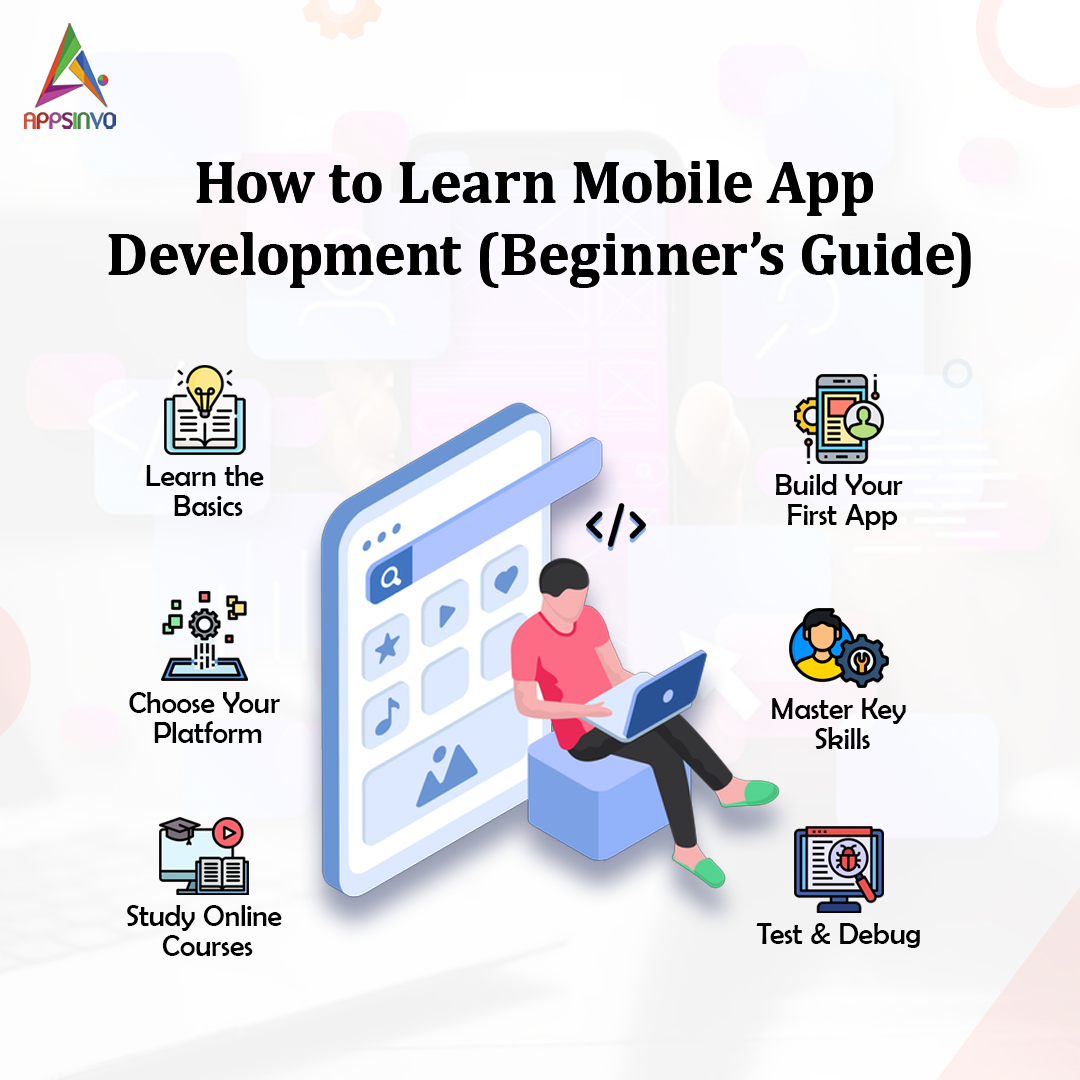
2. Select Your Learning Path (Pick One)
To reduce confusion, use a single technological stack when starting off. Here are the most popular starting options:
Option A: Android Development (Java, Kotlin)
If you want to focus on Android:
- Learn Kotlin or Java.
- Use Android Studio as your primary IDE.
- Recognise XML layouts, activities/fragments, and Android components.
Option B: Swift Development (iOS)
If you favour iOS:
- Learn Swift.
- Use Xcode and Simulator.
- Learn about Swift basics, UI development with SwiftUI (contemporary method), and app lifecycle.
Option C: Cross-Platform Development (React Native or Flutter)
If you want to build for both platforms quickly:
- Flutter uses Dart and has a consistent user interface.
- React Native is built on top of React ideas and uses JavaScript/TypeScript.
Appsinvo recommends that beginners start with one stack and get comfortable before expanding.
3. Understand the fundamentals of programming.
Prior to using mobile frameworks, you must first understand programming concepts. Focus on:
Variables and Data Types
- Control flow (if-else statements, loops)
- Functions
- Object-oriented notions (classes and objects).
- Working with APIs (HTTP requests and JSON)
- Basic debugging.
If you don’t already know how to code, start with a programming course in the language of your choice.
4. Understand UI/UX Fundamentals for Mobile
Mobile apps aren’t simply websites. They use certain UI patterns such as:
- Bottom navigation
- Cards and lists
- Forms with validation
- Responsive layouts
- Smooth transitions and a clear hierarchy.
When studying frameworks, always practise UI design fundamentals.
- Keep screens basic
- Maintain consistent colours and spacing.
- Provide feedback for user actions (loading indicators and error messages).
- Designed for thumb-friendly interaction.
Appsinvo allows beginners to study real apps in their field to better understand layout decisions and user flows.
5. Understand the App Architecture.
- UI layer (screens, components)
- Business logic (How the software works)
- Data layer (API calls, storage, and models).
- MVVM
- MVC
- Clean Architecture.
6. Understand networking (APIs) and data handling
- Making API calls (GET, POST, PUT, and DELETE)
- Handling JSON responses.
- Managing load statuses and faults
- Authentication (tokens, login, and logout)
- Caching or local storage where necessary.
Begin with public APIs, such as weather or public content APIs, then develop modest features such as.
A. “Weather App”
A. “To-Do App with Sync”
A. “News App with Categories”
7. Use local storage and databases (if needed)
- Key-value storage (basic preferences).
- Local databases for structured data, such as SQLite or Room on Android.
- Secure storage for sensitive information (such as credentials).
8. Understand Authentication and Security Fundamentals.
- Email/password
- OAuth (Sign in with Google or Apple)
- Token-based authorisation.
Security fundamentals to learn early:
- Do not save passwords in plain text.
- Use HTTPS to make API calls.
- Validate the user inputs.
- Manage session expiration properly.
This is critical for creating confidence in user-facing products.
9. Testing and Debugging
- Debugging tools in your IDE
- Unit tests for functions
- Basic API call integration testing
- UI testing for user flow
When learning, create habits like:
- Examine both legitimate and incorrect input
- Handle edge cases (empty responses, sluggish networks).
- Review crash logs.
10. Build Real Projects (The Best Way to Learn)
The fastest learning comes from building. Start with small projects and grow gradually. Suggested project ideas:
Beginner Projects
- Calculator app
- To-do list with local storage
- Habit tracker with charts
- Simple recipe browser
- Weather app using a public API
Intermediate Projects
- Login + user profiles
- Booking-style app UI with API integration
- E-commerce product list + cart
- Fitness tracker with data sync
- Event planner with reminders
Each project teaches you new skills: UI, API, state management, storage, and more.
11. Understand Deployment and App Store Basics.
After creating your app, you will need to publish it.
- Setup an Android developer account, produce signing keys, and follow release rules.
- For iOS, create an Apple developer account, generate certificates, and adhere to App Store standards.
Learn:
- Versioning (app version, build number)
- App icons, launch screens, and permissions.
- Privacy policies and data disclosure regulations
- Review procedure and common rejection reasons
12. Study the code and follow best practices
To improve rapidly:
- Read the documentation for your selected framework.
- Follow the official tutorials.
- Study open-source apps.
- Use linters and formatters.
- Keep your code modular and readable.
Appsinvo also urges newcomers to take notes as they learn—your personal “cheat sheet” will help you remember things when you review them later.
13. How Long Does It Take to Learn?
There is no single timeline, but a practical guide is:
- 4–8 weeks to build small apps if you practice consistently
- 2–4 months for stronger fundamentals and intermediate features
- 6+ months for professional-quality apps (especially if you build multiple projects)
Consistency matters more than long study sessions. Aim for daily practice.
14. Common Beginner Mistakes to Avoid
- Learning too many technologies at once
- Skipping essentials (programming, APIs)
- Overbuilding without testing
- Not practicing UI design and UX flows.
- Ignoring errors and network failures.
If you want to accelerate learning:
- Join developer communities
- Take structured courses or guided tutorials
- Use GitHub to explore real code
- Ask questions when stuck
- Follow Appsinvo for app development insights and project guidance
Conclusion
Learning mobile app development is a journey, and each step you take—from learning programming foundations to constructing your first app—adds substantial momentum. Choose a platform, master the fundamentals, experiment with tiny projects, and progressively progress to more advanced features and real-world app requirements.
If you want a professional solution, consider working with a mobile app development company like Appsinvo, particularly if you want app strategy, UI/UX design, secure programming, or deployment help.
I can develop a personalised learning plan for you if you tell me which platform you prefer (Android, iOS, or cross-platform) and how much time you have available each week.