Google has added Gemini Live; its real-time AI assistant to more Google services: Keep, Calendar, Tasks, and Maps. As a report by 9To5 Google explains, it is currently possible to command the Gemini Live to make Calendar events, add reminders to Tasks, and create notes in Google Keep based on the voice input- or the image input as well.
As previously previewed during Google I/O 2025, the release allows Gemini Live to take proactive steps instead of solely conversing. As an example, when a user wants a reminder of a shopping list, a poster with a date, etc., they can hold a handwritten shopping list or a poster with a date in front of the Gemini Live, and it will automatically pull out the most important details and will be able to create a reminder or note based on it.
Google Apps Integration with Gemini Live
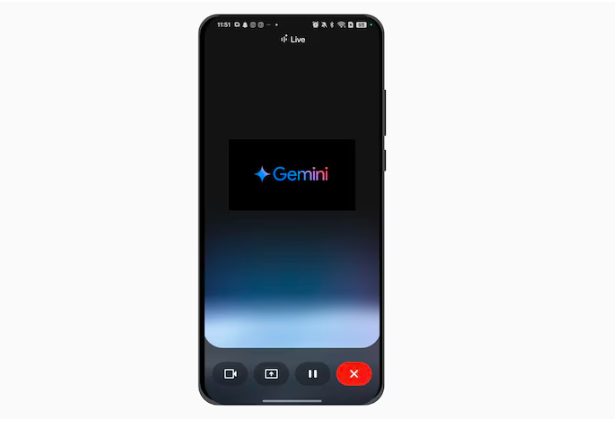
The upgrade improves Gemini Live’s capabilities as a productivity tool. When you use these integrated services, visual signs will display in the UI, such as a small chip with an app icon (for Keep, Calendar, Tasks, or Maps) at the bottom of the screen. Confirmation messages such as “Note created” and an undo option will also be presented.
Google has hinted that future updates to Gemini Live will include more app connectors from throughout its ecosystem, boosting the platform’s capabilities beyond conventional AI chat operations.
Android and iOS are equipped with captions.
Captioning support on both Android and iOS devices, described as the Gemini Live, is the other innovation that Google is launching along with the new integrations. A new rectangular captions button will appear in the upper right corner and this takes place during a Live session. After clicking it, a floating box appears showing the real-time transcripts of the responses of Gemini.
While user voice inputs are not displayed in real-time, a full transcript of the session is provided once the conversation concludes. Captions show in the center of the screen in audio mode and at the top during video streaming, however, they cannot be scaled or changed.
Some Android users have already started receiving the update, with a wider release likely in the next week.
How to access caption preferences in Gemini Live (Android):
- Open the Gemini app.
- Tap the Settings menu.
- Scroll down to “Caption preferences” (found below “Interrupt Live responses”).
- Tap to access your device’s system settings for personalization.
Follow and Connect with us on
Facebook | Instagram | Linkedin | Twitter | Tumblr | Pinterest