


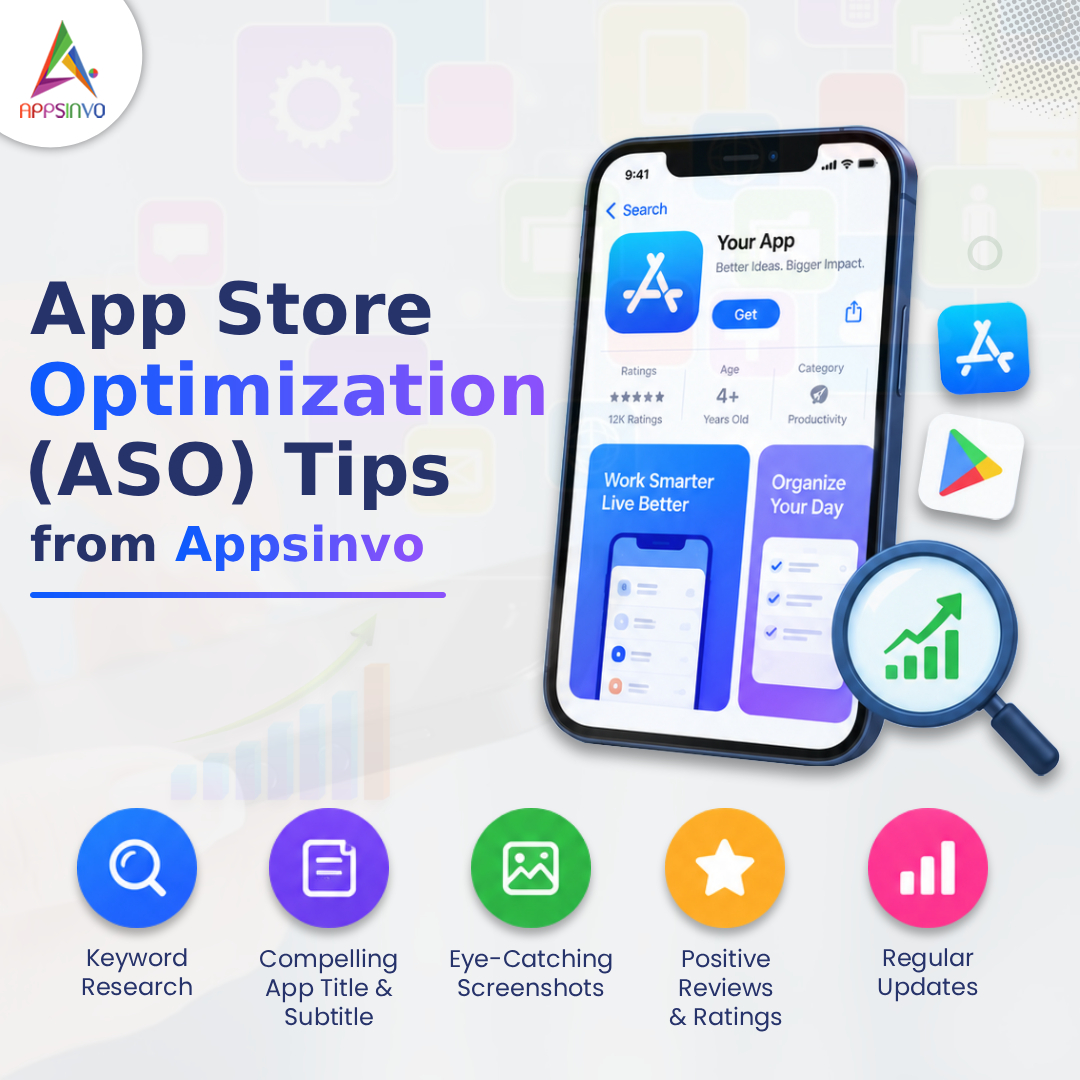
App Store Optimization (ASO) is the set of strategies used to help your mobile app rank higher in app store search results and convert more store visitors into downloads. In simple terms, ASO makes it easier for the right users to discover your app—and for those users to choose it once they land on your listing.
For startups and growing businesses, ASO matters because most app growth doesn’t start with paid ads. It starts with app visibility in search and recommendations, then improves as your listing earns stronger performance signals like app downloads, engagement, and ratings.
Appsinvo is a mobile app development company that helps businesses design, build, and scale mobile apps that perform—not just apps that “launch.” Alongside development, we support teams with mobile app optimization, UI/UX refinement, and ongoing improvements that strengthen product-market fit and growth.
In this guide, we’ll walk through practical ASO tips you can apply immediately.
1. What Is App Store Optimization (ASO)?
ASO is like search engine optimization (SEO), but for app stores. It focuses on how your app appears in the App Store (iOS) and Google Play (Android) for specific user searches and browsing behaviors.
How ASO improves search visibility
When your app listing contains the right keywords, clear visuals, and high-converting content, app stores are more likely to:
- Show your app for relevant searches
- Recommend it to users similar to your audience
- Rank it higher as performance improves
ASO vs. traditional SEO
While traditional SEO targets webpages, ASO targets app store product pages. That means the “on-page” elements are different:
- App title, subtitle (where applicable), and keyword fields
- App description and feature sections
- Visual assets like icons, screenshots, and preview videos
- Ratings, reviews, and conversion-related signals
A good ASO strategy blends relevance (keywords) and conversion (store page experience).
2. Choose the Right App Keywords
Keyword research is one of the highest-leverage areas of app store ranking. But “high traffic” keywords aren’t always best—your goal is to match search intent.
Focus on intent, not just volume
Try grouping keywords into:
- Problem-based terms: “budget planner,” “meal tracker,” “habit coach”
- Solution-based terms: “personal finance app,” “fitness habit app”
- Audience-based terms: “for students,” “for families,” “for freelancers”
- Feature-based terms: “offline mode,” “AI workout plans,” “expense analytics”
Example: If you’re a grocery delivery app, a keyword like “shopping” is broad. “Grocery delivery” or “same-day groceries” is usually more aligned with intent.
Place keywords naturally across your listing
Use keywords in key areas such as:
- App title (where it fits naturally)
- Subtitle/short fields (especially on platforms that support them)
- App description headings and first lines
- Feature bullets and use-case sections
- Backend keyword fields (for Apple)
Avoid forcing keywords in places that make your listing sound unnatural. Keyword stuffing can reduce user trust and may hurt performance.
3. Create an Optimized App Title and Subtitle
Your app title is often the first “decision point” for both users and the store’s ranking systems.
Title best practices
A strong title typically includes:
- The app’s name (brand)
- A clear app category or primary value
- A relevant keyword phrase (only if it reads naturally)
Avoid:
- Titles that are unclear (e.g., creative names with no context)
- Overly long titles that truncate key meaning
- Using unrelated keywords just to capture traffic
Subtitle considerations (platform differences)
On iOS, your subtitle can play an important role in clarity and relevance. On Google Play, the listing structure differs, but the principle remains: make the app easy to understand quickly.
Quick example
- Weak: “Pulse”
- Better: “Pulse Fitness Tracker” (clear category + intent match)
4. Write a Compelling App Description
Your description isn’t just informational—it’s a conversion tool. Many users decide whether to download after scanning for outcomes, not features.
Use a structure that’s easy to scan
A high-performing description often includes:
- A clear opening (what the app does and who it’s for)
- Feature highlights with benefit language
- Specific use cases (“track expenses,” “plan meals,” “manage tasks”)
- Clarity over exaggeration
Use keywords without sounding robotic
Sprinkle relevant keywords naturally where they help explain value. For instance, if “habit tracker” is core, mention it in the context of what the user can do—not as a standalone keyword list.
Avoid exaggerated claims
Don’t promise unrealistic results. If users feel misled, reviews will suffer—and ratings strongly affect long-term app visibility and conversion.
5. Optimize App Icons, Screenshots, and Preview Videos
Visual assets often determine whether users click “Get” or “Install.” Even if your keyword targeting is excellent, poor visuals can kill conversions.
App icon: make the first impression count
Your icon should be:
- Recognizable at small sizes
- Consistent with your brand
- Clear in concept (what category the app belongs to)
A good icon reduces cognitive load—users instantly know what they’re downloading.
Screenshots: show outcomes, not just features
Screenshots should tell a story:
- The core value proposition (what problem you solve)
- Key features that support that value
- Proof points (usage, results, key screens)
- A clear “how it works” moment
Pro tip: Include screenshots that demonstrate the workflow. For example:
- A budgeting app should show the expense entry → insights → reports journey.
- A learning app should show lessons → progress → reminders.
Preview videos: demonstrate the experience
Preview videos work best when they:
- Show the app in action within the first seconds
- Highlight the most compelling use case
- Keep pacing fast and easy to understand
- Reinforce benefits users care about
When users can visualize the app quickly, conversion improves.
6. Focus on Ratings and Reviews
Ratings and reviews influence trust. They also influence performance in subtle ways—users with strong social proof convert more readily.
Ethical ways to encourage genuine reviews
If you want more reviews, make it easier for satisfied users to share feedback:
- Ask at the right moment (after a win or a completed task)
- Keep the request respectful and simple
- Don’t incentivize fake reviews
Respond to negative feedback professionally
A constructive response can turn criticism into credibility. Best practices:
- Address the issue calmly
- Offer a path to resolution (support link, in-app feedback)
- Avoid arguments or defensiveness
Over time, improved user sentiment contributes to better reviews and better ASO strategy outcomes.
7. Improve App Conversion Rate
Visibility alone isn’t enough. The store page must convert impressions into installs.
Understand the funnel
A typical flow looks like:
- Impressions (search or browse exposure)
- Product page views
- Conversion to downloads
- Post-install engagement signals
If your app gets impressions but conversions are low, the issue is likely your:
- Icon and screenshots
- Title/subtitle clarity
- Description messaging
- Ratings and review content
Test and refine store assets
Where supported, run tests on:
- Screenshot order
- Hook messaging in the first screenshot
- Video thumbnails and length
- Short description formatting
- Icon variants (if your brand supports it)
Even small improvements can compound over time.
8. Localize Your App Store Listing
Global growth often comes down to localization. Generic listings rarely perform as well as those tailored to local search behavior.
What to localize
Consider translating and adapting:
- Localized keywords (what users search for in each language)
- Description and feature bullets
- Screenshot text and messaging
- Cultural tone and use-case framing
Match local intent
Search intent can differ across regions. A feature that feels important in one market may be secondary elsewhere. Localization isn’t just translation—it’s mobile app marketing for the local context.
9. Monitor Competitors and ASO Performance
ASO isn’t a one-time task. You should regularly measure what’s working.
What to track
Monitor:
- Keyword rankings (for your priority terms)
- Ratings and review trends
- Download velocity over time
- Conversion indicators (product page → installs)
- Visual asset performance (via testing or analytics tools)
Learn from competitors—without copying
Analyze competitor apps by asking:
- Which keywords do they appear for?
- How do their titles and first screenshots communicate value?
- What do users praise or complain about in reviews?
Then apply those insights to your own product page improvements.
10. Common ASO Mistakes to Avoid
Avoid these issues that frequently reduce results:
- Keyword stuffing (hurts readability and user trust)
- Using irrelevant keywords (attracts the wrong audience)
- Poor-quality screenshots (lowers conversion even with good rankings)
- Ignoring reviews (missed opportunities to improve trust)
- Copying competitor content (you need differentiation, not imitation)
- Misleading information (damages ratings and long-term growth)
- Not updating listings after major releases
- Ignoring localization and testing (you miss market-specific gains)
11. Appsinvo’s Approach to App Store Success
At Appsinvo, we focus on building apps that are not only functional at launch, but also optimized for growth over time. ASO performs best when the app itself delivers a strong user experience—because downloads should lead to retention, engagement, and positive feedback.
Here’s how we can help:
- Custom mobile app development (iOS & Android) to ensure your product aligns with user expectations
- UI/UX design that supports intuitive onboarding—helpful for both reviews and conversion
- App performance optimization to reduce friction and support smoother user journeys
- App maintenance and support so improvements continue after launch
- AI-powered mobile solutions where relevant to product differentiation and user value
- Scalable solutions for startups and enterprises as your user base grows
If you’re building a new app or improving an existing one, we can also help your team align product updates with store listing refreshes—so your app visibility gains don’t fade after release.
Conclusion
App Store Optimization (ASO) is a practical growth discipline: improve relevance (keywords), improve clarity (title/subtitle), improve persuasion (description and visuals), and reinforce trust (ratings and reviews). Most importantly, treat ASO as an ongoing process.
As your app evolves, keep refining your ASO tips through testing, localization, and performance monitoring. If you want professional mobile app development and growth support, connect with Appsinvo to strengthen both your product and your path to better app rankings, conversions, and downloads.
FAQs
1. What is App Store Optimization (ASO)?
ASO is the process of optimizing your app store listing (keywords, title, description, visuals, and reviews) to improve search rankings and conversions on the App Store and Google Play.
2. What are the most important ASO tips for startups?
Start with keyword research, an optimized title/subtitle, conversion-focused screenshots, a clear description, and a plan to build consistent, genuine reviews.
3. How do keywords affect app store rankings?
Keywords help app stores understand what your app does and match it to user searches. Use keywords naturally in key listing fields and avoid stuffing.
4. Do app icons and screenshots really impact downloads?
Yes. Visual assets heavily influence conversion rate from product page views to installs, especially for users browsing in search results.
5. How often should I update my app store listing?
Update when you release major features, improve your onboarding, change messaging, or after testing shows better-performing assets.
6. Does localization improve app visibility?
Often, yes. Localized keywords and messaging can match local search intent and increase relevance for users in different countries and regions.








 is the set of strategies used to help your mobile app rank higher in app store search results and convert more store visitors into downloads.)